
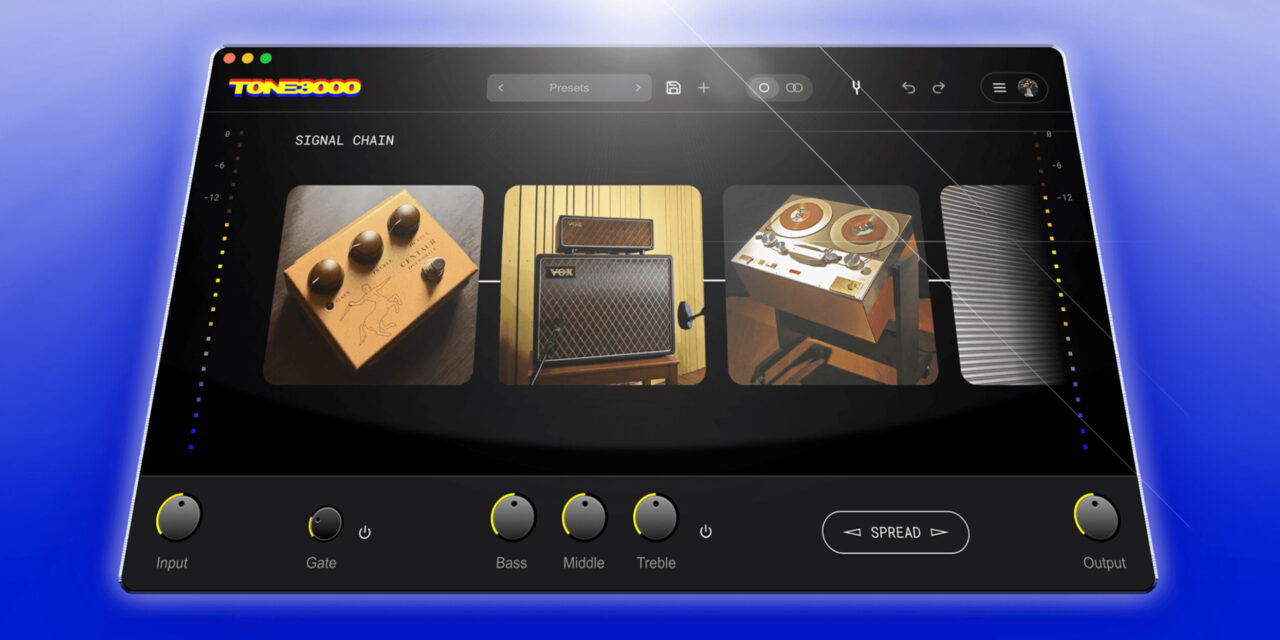
The plugin launched about a month ago with full access to NAM captures using the new A2 format, and according to Tone3000, it has already passed more than 200,000 downloads.
The plugin launched about a month ago with full access to NAM captures using the new A2 format, and according to Tone3000, it has already passed more than 200,000 downloads.
I published a complete Tone3000 getting started guide when the plugin first launched, and since then the software has changed enough that it’s worth taking another look. The October 2 update introduces a new pitch shifting feature, dual mono support, additional noise gate controls, a redesigned browsing experience, and some major CPU optimizations.
If you’re already using Tone3000, make sure you’re running the latest version before following along. If you’ve never used the plugin before, I’d recommend starting with my original getting started guide and then coming back here for everything that’s changed.
What’s New in the Tone3000 Plugin?
The biggest changes in this update aren’t just new effects. Tone3000 has also made several workflow and performance improvements that address some of the complaints users had with the original release.
The major additions include a new pitch shifter, expanded noise gate controls, dual mono processing, fully integrated capture browsing, integrated Spaces browsing, and significantly reduced UI CPU usage. According to Tone3000, the new version uses up to 75% less CPU for its user interface compared with the launch version.
Update Tone3000 Before Getting Started
If you already have Tone3000 installed, the first thing you’ll want to do is update the software. Head over to Tone3000, download the latest version, and make sure your plugin has been updated before opening your existing sessions.
Some of the new functionality also needs to be enabled from inside the plugin. Once you’re logged into your Tone3000 account, open the hamburger menu and select Settings. From there, you can enable the additional controls you want displayed in your signal chain.
New Tone3000 Pitch Shifter
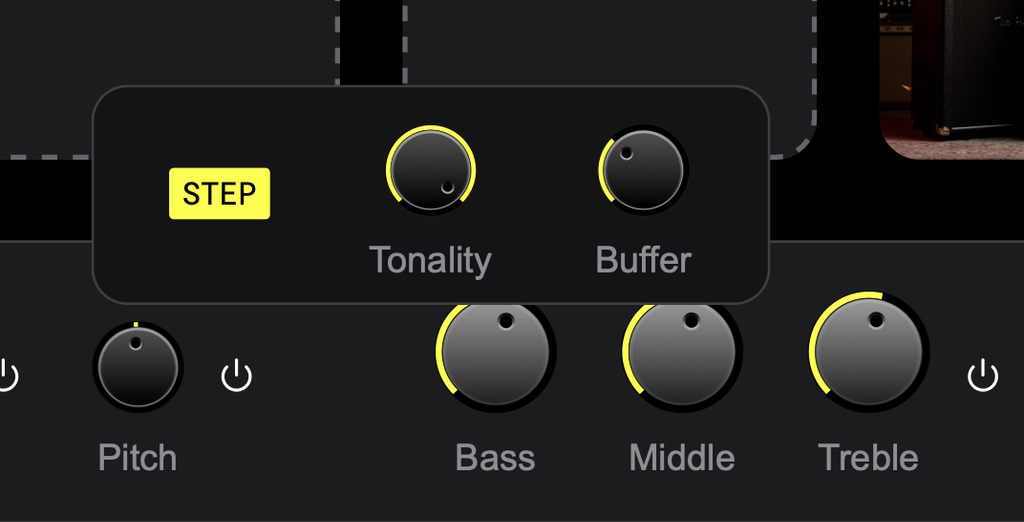
One of the biggest new features is the built-in pitch shifter. To access it, open Settings and enable Show Pitch Shift. Once enabled, the new pitch control will appear directly in the plugin interface.
Turning it on is as simple as pressing the power button. You can then shift the pitch of your guitar without physically changing its tuning. You can also double-click the value and manually enter the amount of pitch shifting you want, while setting it back to zero returns you to your original tuning.
This is particularly useful if you’re moving between different tunings while recording. Instead of stopping to retune your guitar or grabbing another instrument, you can quickly drop the incoming guitar signal from directly inside Tone3000.
In my testing, I progressively lowered the tuning using a PRS CE 24 Alder Satin and was impressed with how usable the pitch shifting remained even as I moved further away from the guitar’s actual tuning.
Improved Noise Gate Controls
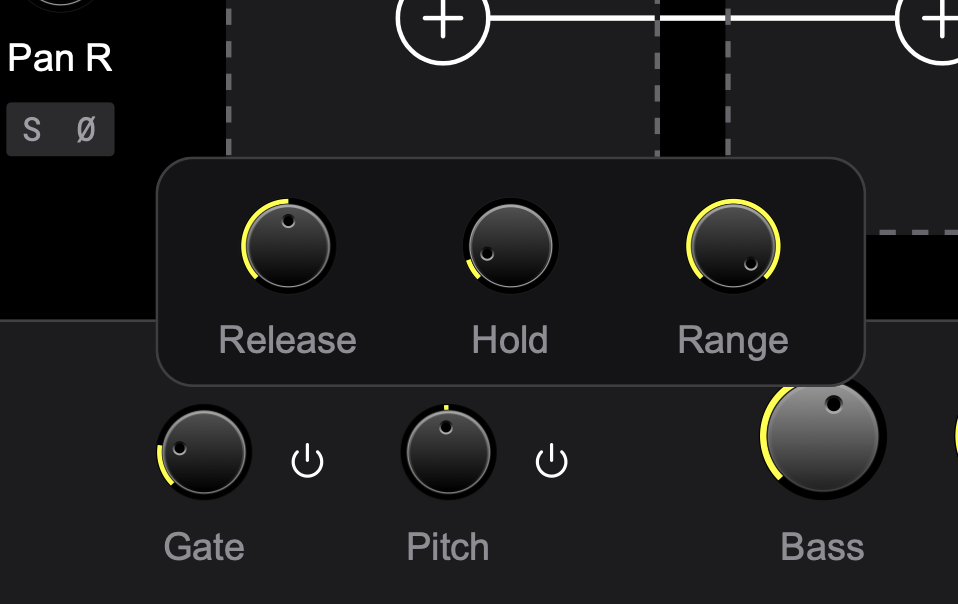
Tone3000 has also expanded the controls for its built-in noise gate. The gate itself was already available in the original version, but you now have considerably more control over how it behaves.
Right-clicking the gate gives you access to Release, Hold, and Range controls. These settings let you fine-tune how quickly the gate reacts and how aggressively it controls unwanted noise rather than relying on a more basic gate configuration.
I tested the updated gate with a seven-string Kiesel and a high-gain Randall Satan 50 NAM capture. Dropping the release down to around 9 milliseconds produced an extremely tight response, which should make the additional controls particularly useful for modern metal and other high-gain guitar tones.
New Dual Mono Support
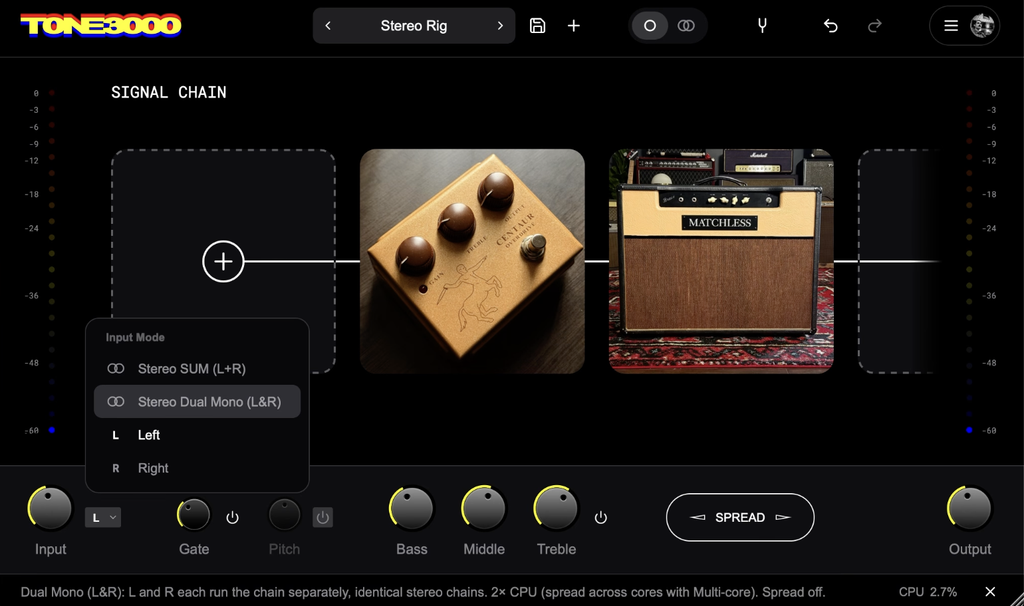
Another major workflow improvement is the addition of dual mono processing. This is especially useful when you’re working with a stereo source but still want to process each side through a mono signal chain without collapsing the two channels together.
The new Stereo Dual Mono input option allows a stereo source to enter a mono processing chain while keeping the left and right channels separate. That’s different from simply summing a stereo source into mono or taking only the left or right channel.
For my test, I used a Kiesel guitar with two separate outputs to create a stereo source. I could then send that stereo input into a mono Tone3000 chain while retaining the separation between the left and right channels.
This opens up some interesting possibilities for stereo guitars, dual-output instruments, recording setups, and more complicated routing configurations.
Tone3000 Capture Browsing Is Now Inside the Plugin
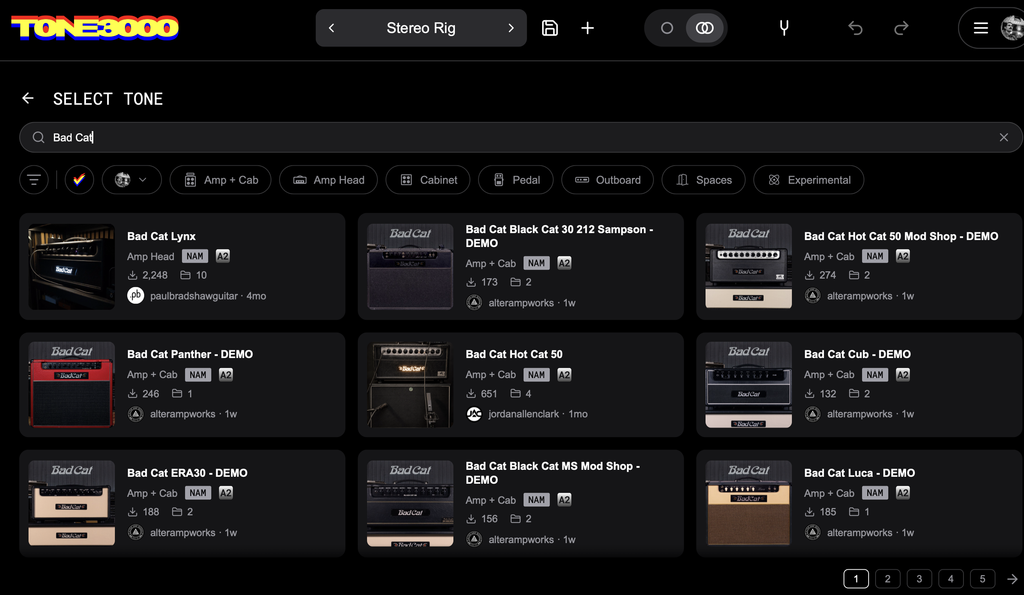
One of my favorite workflow improvements is the updated capture browser. When you’re logged into your account, you can now browse your amp captures directly inside the plugin.
You no longer need to leave the plugin, jump over to your web browser, or work through an embedded browser view just to find another amp. The browsing experience is integrated directly into Tone3000, making it much faster to audition and switch between different NAM captures while you’re working on a tone.
Considering how much of the Tone3000 experience revolves around discovering and experimenting with different captures, this is a pretty substantial quality-of-life improvement.
Up to 75% Lower UI CPU Usage
Performance was one of the biggest complaints surrounding the original Tone3000 release, so this may actually be the most important improvement in the entire update.
Tone3000 says the new version delivers 75% less UI CPU usage. During my testing, the results were encouraging. Even while using NAM captures, the new pitch and gate functionality, stereo routing, and additional effects, my CPU usage remained surprisingly low.
With a high-gain setup, I was seeing roughly 3% to 4% CPU usage. After adding additional processing and an ambient Space to the stereo rig, I was still hovering around approximately 4.7% to 5% in my session.
CPU performance will obviously vary depending on your computer, DAW, buffer settings, sample rate, and the complexity of your session, but the difference I saw with this update was substantial.
Building a High-Gain Tone With the Updated Tone3000
To put several of the new features together, I loaded a high-gain NAM capture based on Ola Englund’s Randall Satan 50 and used my seven-string Kiesel for the test. This gave me a good opportunity to experiment with the expanded gate controls while also keeping an eye on performance.
The updated noise gate made it easy to tighten up the response for heavier riffs, and the additional Release, Hold, and Range settings give you much more control than the original implementation.
The impressive part was that adding and adjusting these features didn’t suddenly send CPU usage through the roof. That’s important because a feature-rich guitar plugin isn’t particularly useful if you’re forced to disable half of its functionality when working inside a larger recording session.
Using Tone3000 for Stereo Guitar Rigs
The combination of dual mono support and integrated Spaces also makes this update considerably more interesting for stereo guitar rigs. In my session, I was able to maintain the left and right channels from my stereo guitar source, run the signal through the Tone3000 chain, and then start adding more ambient processing.
For players experimenting with stereo pickups, dual-output guitars, wet/dry configurations, or more complicated recording setups, the new routing options give Tone3000 considerably more flexibility than the original release.
Is the Tone3000 Update Worth Installing?
Absolutely. If you’re already using Tone3000, there’s really no reason to stay on the launch version. This isn’t simply an update with a few minor bug fixes. The new version improves both what the plugin can do and how efficiently you can work with it.
The pitch shifter adds a genuinely useful tool for guitarists working with multiple tunings. The expanded gate controls are particularly valuable for high-gain players. Dual mono adds much more flexible stereo routing, while the integrated browsing experience removes unnecessary steps when searching for captures and Spaces.
Most importantly, the CPU optimizations address one of the biggest complaints surrounding the initial release. In my own testing, I was able to build increasingly complicated signal chains while keeping CPU usage surprisingly low.
Final Thoughts
Tone3000 already had a strong launch by giving guitarists free access to a massive ecosystem of NAM A2 captures. This first major update makes the plugin considerably more complete.
The new pitch shifting, dual mono support, improved noise gate, integrated capture and Spaces browsing, and reduced CPU usage aren’t just features that look good on an update list. They address practical things that guitarists actually encounter while recording and building tones.
If you’re completely new to Tone3000, start with my full getting started guide to learn the basics of setting up the plugin and working with NAM A2 captures. If you’re already using Tone3000, update to the latest version and start experimenting with the new features.
Considering the plugin is still 100% free, Tone3000 continues to be one of the most interesting developments happening in guitar amp modeling right now.


